Table of Contents
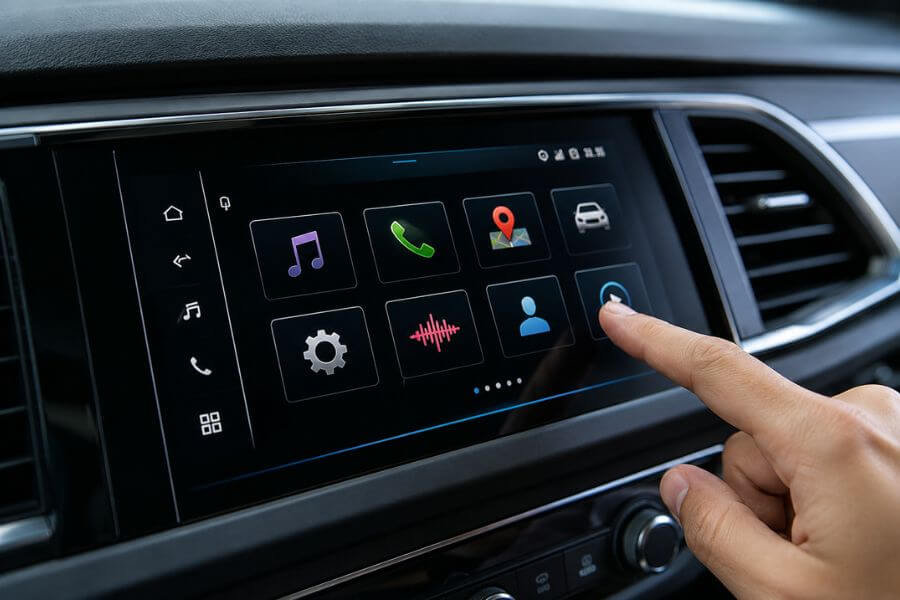
Modern cars are packed with technology, and most drivers only use a small part of what their infotainment systems can actually do. While many people know about navigation, Bluetooth connectivity, and smartphone integration, today’s infotainment systems include a surprising number of hidden features that can make your driving experience easier, safer, and more enjoyable.
Whether you drive a family SUV, a luxury sedan, a pickup truck, or an electric vehicle, there is a good chance your vehicle has useful functions that you have never explored. From customizable shortcuts to advanced voice controls, these hidden tools can save time and add convenience to every trip.
In this guide, you’ll discover the 10 best hidden features in modern car infotainment systems and learn how they can improve your daily driving experience.
Quick Summary Table 📊
| Rank | Hidden Feature | Main Benefit |
|---|---|---|
| 1 | Customizable Home Screens | Faster access to favorite functions |
| 2 | Voice Command Shortcuts | Hands-free convenience |
| 3 | User Profiles | Personalized settings |
| 4 | Wireless Smartphone Integration | Cleaner and easier connectivity |
| 5 | Remote Vehicle Controls | Manage your car from anywhere |
| 6 | Hidden Diagnostic Information | Monitor vehicle health |
| 7 | Multi-Window Displays | Use multiple functions at once |
| 8 | Custom Shortcut Buttons | One-touch access to features |
| 9 | Intelligent Route Planning | Better navigation efficiency |
| 10 | Over-The-Air Software Updates | Continuous feature improvements |
How We Ranked These Features ⭐
We selected these hidden infotainment features based on several important factors:
- Real-world usefulness for everyday drivers
- Ease of access and operation
- Safety benefits while driving
- Time-saving convenience
- Availability across multiple vehicle brands
- Impact on the overall ownership experience
- Potential to improve comfort and entertainment
- Long-term value for vehicle owners
1. Customizable Home Screens 🖥️
Many drivers never realize they can completely rearrange their infotainment home screen.
Modern systems allow you to move widgets, create shortcuts, and prioritize the apps you use most often. Instead of digging through multiple menus, you can place navigation, music, weather, fuel economy data, and vehicle information directly on your main screen.
This feature saves valuable time while driving and reduces distractions. If you regularly switch between maps and music, having both on your home screen can make your driving experience much smoother.
Some vehicles even allow different layouts depending on the driver profile, creating a personalized dashboard experience every time you start the car.
2. Voice Command Shortcuts 🎤
Most drivers only use voice commands to make phone calls or enter navigation destinations. However, modern infotainment systems can handle far more advanced tasks.
Many systems allow you to:
- Adjust climate controls
- Change radio stations
- Open navigation destinations
- Read text messages
- Control seat functions
- Adjust cabin lighting
- Search for nearby businesses
Advanced voice assistants continue improving through software updates, making them more natural and responsive over time.
Learning a few common voice commands can significantly reduce the need to touch the screen while driving.
3. User Profiles 👤
User profiles are one of the most underrated infotainment features available today.
If multiple people drive the same vehicle, each driver can create a personal profile that stores preferences such as:
- Seat positions
- Mirror adjustments
- Radio favorites
- Navigation history
- Climate settings
- Display themes
- Driver assistance preferences
When you select your profile, the car automatically adjusts itself to your preferred settings.
This feature is especially useful for families where multiple drivers share the same vehicle throughout the week.
4. Wireless Smartphone Integration 📱
Wireless Apple CarPlay and Android Auto have become increasingly common, but many owners do not realize their vehicle already supports wireless connectivity.
Once connected, your smartphone automatically links to the infotainment system every time you enter the vehicle.
Benefits include:
- No charging cable required
- Faster access to apps
- Cleaner cabin appearance
- Automatic music playback
- Easier navigation access
Many infotainment systems also allow wireless software updates for connected apps, helping keep your experience current without additional effort.
5. Remote Vehicle Controls 🌐
Many infotainment systems now work together with smartphone apps that allow remote vehicle management.
These apps often let you:
- Start the engine remotely
- Lock or unlock doors
- Check fuel levels
- Monitor battery charge
- Locate your parked vehicle
- Set cabin temperature before driving
This feature is particularly useful during extremely hot summers or cold winters.
Imagine entering a vehicle that is already cooled down or warmed up before you even leave your house. Once you start using remote controls, it quickly becomes one of your favorite hidden features.
6. Hidden Diagnostic Information 🔧
Most infotainment systems provide vehicle health information beyond the standard warning lights on your dashboard.
Drivers can often access:
- Tire pressure details
- Battery condition
- Oil life percentage
- Fuel efficiency reports
- Maintenance reminders
- Vehicle status reports
These tools help identify potential issues before they become expensive repairs.
By checking diagnostic information regularly, you can stay ahead of maintenance needs and potentially extend your vehicle’s lifespan.
7. Multi-Window Displays 🗺️
Many modern infotainment systems support split-screen or multi-window displays, but surprisingly few drivers use them.
This feature allows you to view multiple functions simultaneously.
For example, you can display:
- Navigation and music
- Vehicle information and weather
- Maps and phone calls
- Charging information and route guidance
Instead of constantly switching between screens, important information stays visible at all times.
This improves convenience and helps keep your attention focused on the road.
8. Custom Shortcut Buttons ⚡
Many vehicles include programmable shortcut buttons that owners completely overlook.
Depending on the system, you may be able to assign shortcuts for:
- Favorite contacts
- Home navigation route
- Specific radio stations
- Camera views
- Vehicle settings
- Garage door controls
With one button press, the infotainment system performs the selected task instantly.
These shortcuts eliminate unnecessary menu navigation and create a more efficient driving experience.
9. Intelligent Route Planning 🛣️
Modern navigation systems have become much smarter than simple GPS units.
Many infotainment systems now analyze:
- Real-time traffic
- Road construction
- Weather conditions
- Fuel stops
- Charging stations
- Driver habits
The system can suggest better routes before traffic becomes a problem and may even recommend alternate routes automatically.
Electric vehicle owners benefit even more because intelligent navigation can calculate charging stops and battery usage throughout the trip.
This hidden feature can save both time and frustration on long journeys.
10. Over-The-Air Software Updates 🚀
One of the most important hidden features in modern infotainment systems is over-the-air updating.
Instead of visiting a dealership for every software improvement, many vehicles can download updates automatically.
These updates may include:
- Bug fixes
- Improved performance
- New applications
- Better voice recognition
- Enhanced navigation data
- Security improvements
In some cases, vehicles even gain entirely new features years after purchase.
This means your infotainment system can continue improving long after you drive the car home.
Conclusion 🏁
Modern infotainment systems offer far more than music streaming and navigation. Hidden features such as user profiles, customizable home screens, remote vehicle controls, intelligent navigation, and over-the-air updates can dramatically improve your daily driving experience.
The best part is that many of these functions are already built into your vehicle. Taking a few minutes to explore your infotainment settings may reveal tools that save time, improve comfort, and make every drive more enjoyable.
If you have not explored your infotainment system recently, now is a great time to discover what your vehicle is truly capable of.
Frequently Asked Questions ❓
Do all modern cars have hidden infotainment features?
Most vehicles released within the past several years include additional infotainment features that many owners never use. The exact features vary by manufacturer and model.
Can infotainment features be added after buying a car?
Some features can be added through software updates, while others require specific hardware already installed in the vehicle.
Do infotainment systems collect personal data?
Many systems collect driving, navigation, and usage data to improve functionality. You can often review and adjust privacy settings within the infotainment menu.
Will software updates improve infotainment performance?
Yes. Software updates frequently improve speed, stability, navigation accuracy, voice recognition, and overall system functionality.
How can I learn all the features available in my infotainment system?
The owner’s manual, vehicle settings menu, manufacturer mobile app, and dealership tutorials are excellent resources for discovering available features.